MetrixRTA 0.2.8
Precision FFT analysis, audio measurements, and test-signal generation for two-channel Windows systems.
- THD, THD+N, frequency-step, CCIF, SMPTE & multitone
- ASIO, WASAPI & Digital Loopback
- 64-bit measurement processing
Audio measurement software for Windows
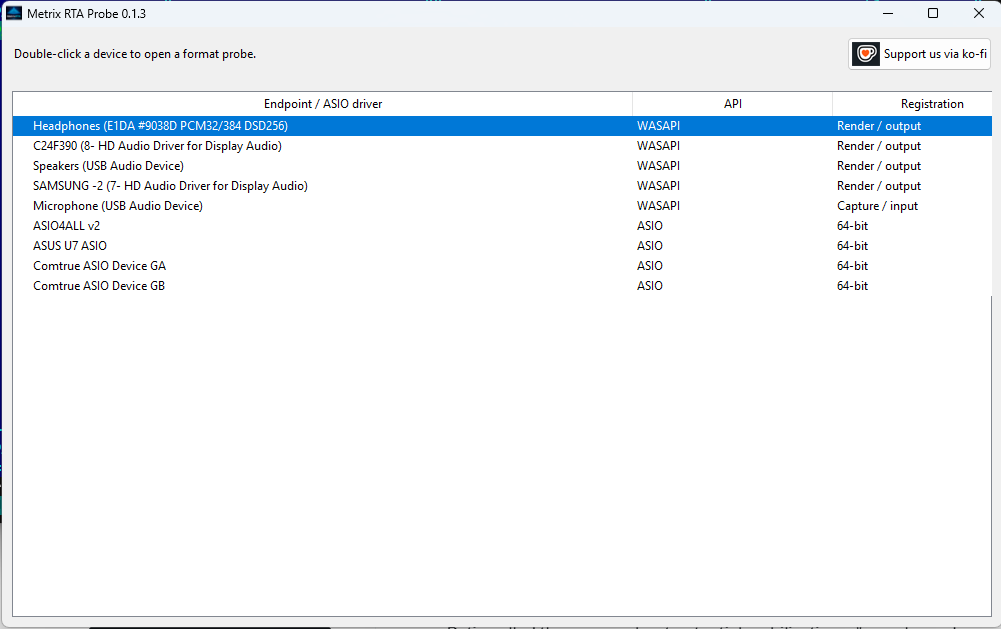
Measure audio performance with MetrixRTA, then inspect device and driver capabilities with MetrixRTAProbe.
Precision FFT analysis, audio measurements, and test-signal generation for two-channel Windows systems.
Discover what your WASAPI endpoints and native 64-bit ASIO drivers actually support before testing.
Main application
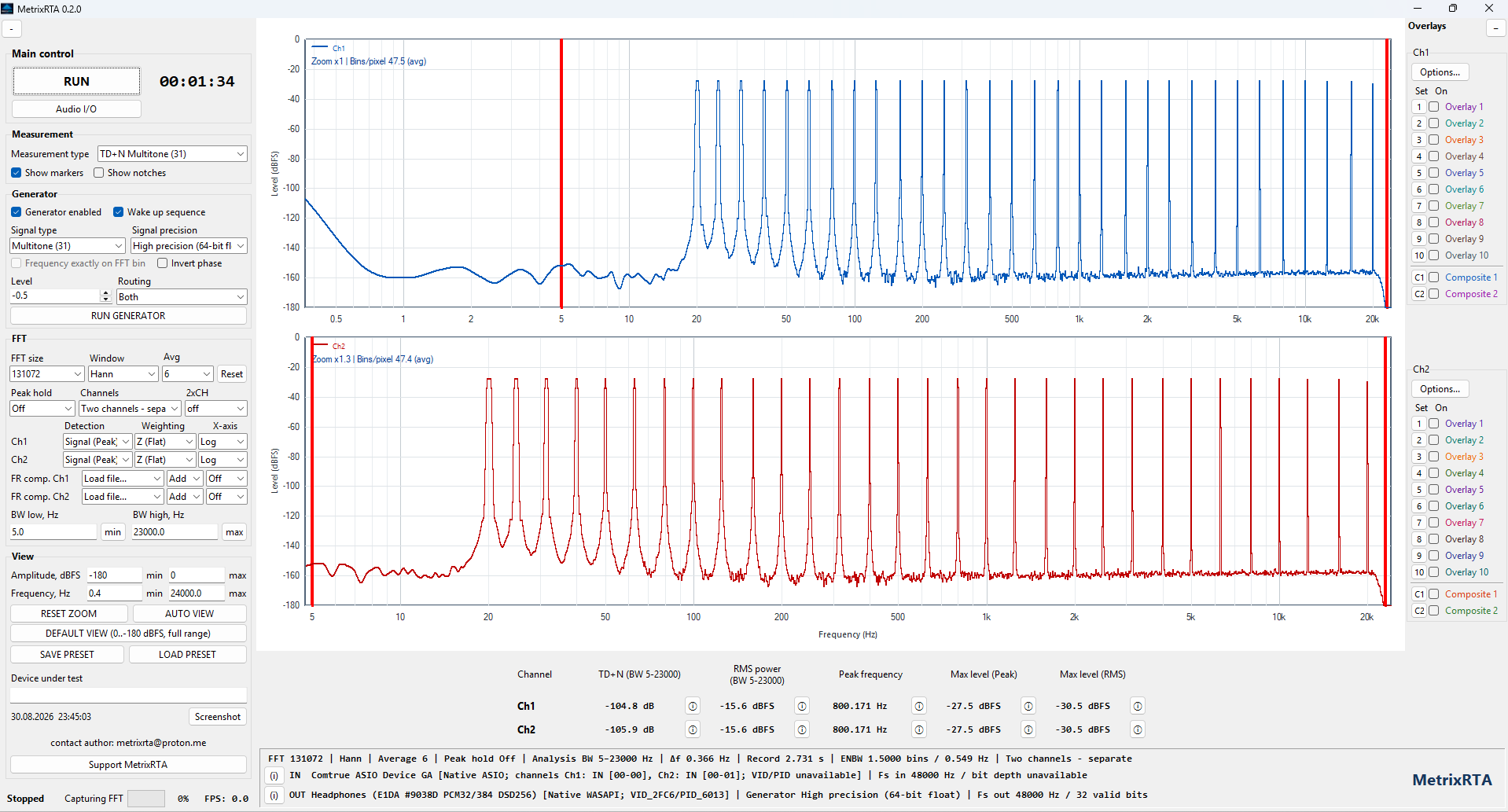
A real-time audio analyzer built for detailed two-channel measurements, from live FFT inspection to THD+N and intermodulation tests.
Live FFT spectrum plus dedicated THD, THD+N, THD/THD+N vs Frequency, CCIF 19+20 kHz, SMPTE 60 Hz/7 kHz 4:1, and 31-tone multitone modes.
Select input and output devices independently. Use native ASIO or WASAPI paths and change compatible audio backends without restarting the application.
Analyze internally generated signals without external cabling or converter influence—useful for checking algorithms and establishing a clean reference.
Run synchronized test signals with configurable level, routing, channel phase, and high-precision 64-bit floating-point generation.
Configure FFT size, window, averaging, peak hold, measurement bandwidth, and frequency or amplitude limits. Use mouse zoom directly on the plots for close spectral inspection.
Display channels separately or overlaid with shared axes. Compare level, noise, distortion, and spectral behavior in real time.
Use spectral markers, store multiple overlays and composites, and load frequency-response compensation files for repeatable comparisons.
Save complete setups, capture screenshots, and open detailed calculation views showing measurement values and spectral markers.
Companion utility
A native capability and stream-validation utility for finding out what Windows audio endpoints and ASIO drivers really support.
Latest releases
Standalone Windows applications. No installer wizard is required.
Version 0.2.8 pre-release · Windows x64 · 68.2 MB
SHA-256Loading from GitHub…
Version 0.1.3 · Windows x64 · 10.0 MB
SHA-256Loading from GitHub…
Downloads are hosted in the official GitHub Releases. The SHA-256 values shown above are reported by GitHub for the corresponding EXE assets; separate checksum files remain available for manual verification.
Download notice: Some antivirus products may flag PyInstaller-packaged applications. This can be a false positive caused by PyInstaller packaging. For additional verification, compare the downloaded EXE against the SHA-256 checksum provided on its GitHub release page; for example, run certutil -hashfile MetrixRTA_0.2.8_x64.exe SHA256 in Windows Command Prompt.
Help development
Your support helps keep MetrixRTA independent and makes continued development, testing, and new measurements possible.
Questions, feedback, bug reports